GoXLR Utility
A virtual mixer on your PC for Windows 10 & 11. You do not need a GoXLR or GoXLR Mini device — use your existing mic and audio setup.
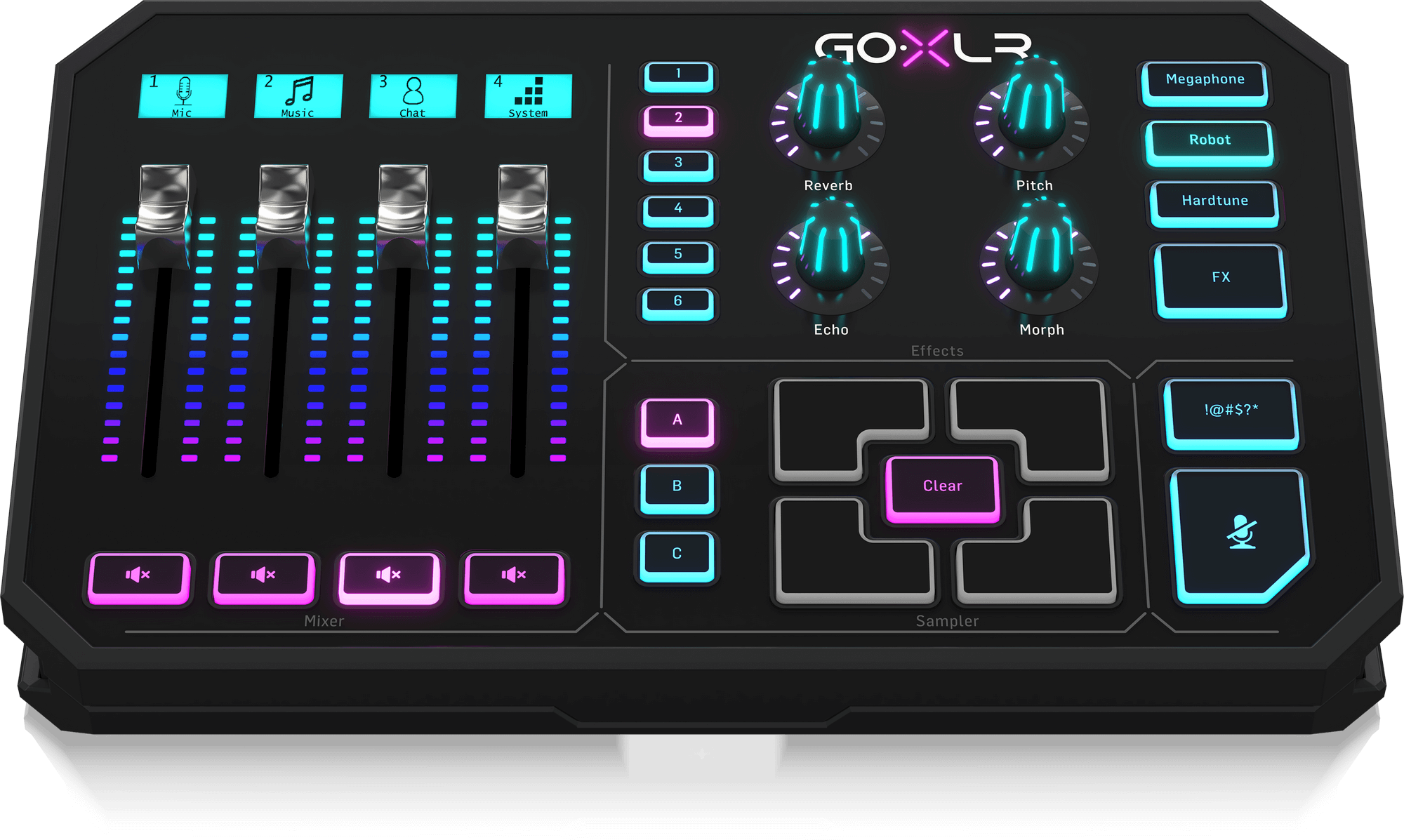
Virtual mixer on your PC
GoXLR Utility runs as a virtual mixer in Windows. Mix mic, game, chat, and music from software — you are not required to own the full GoXLR streaming deck or GoXLR Mini. Plug in any USB mic or use your existing audio interface and stream.
Have official GoXLR hardware? The app still supports GoXLR and GoXLR Mini when connected.
GoXLR Download for Windows
Free virtual mixer & GoXLR Utility download (v1.2.4) for Windows 10 & 11 (64-bit). No GoXLR hardware purchase required.
Features
Everything you need to control your GoXLR mixer.
Full Mixer Control
Control all 4 channels with real-time adjustments. Motorized faders sync automatically with the hardware.
Mic Processing
Professional audio chain with Gate, EQ, Compressor, and De-esser. Studio-quality sound for streaming.
Voice Effects
Reverb, Echo, Pitch, and Gender controls. Create unique voices with preset combinations.
Advanced Routing
Route 8 inputs to 4 outputs with complete control. Send audio exactly where you need it.
RGB Lighting
Customize every LED on your device. Match your setup with unlimited color combinations.
Profile System
Save and load complete setups instantly. Switch between games, streams, and recordings.
Professional Software
Virtual mixer software for streaming and recording — with or without GoXLR hardware.
GoXLR Utility
Full-featured desktop application for Windows 10 & 11 (64-bit). Works as a virtual mixer on your computer; a physical GoXLR unit is optional, not mandatory.
- Complete mixer control with real-time adjustments
- Advanced audio routing for streams and recordings
- Professional mic processing with Gate, EQ, Compressor
- Voice effects including Reverb, Echo, Pitch, Gender
- Custom lighting and RGB control
- Profile management and presets
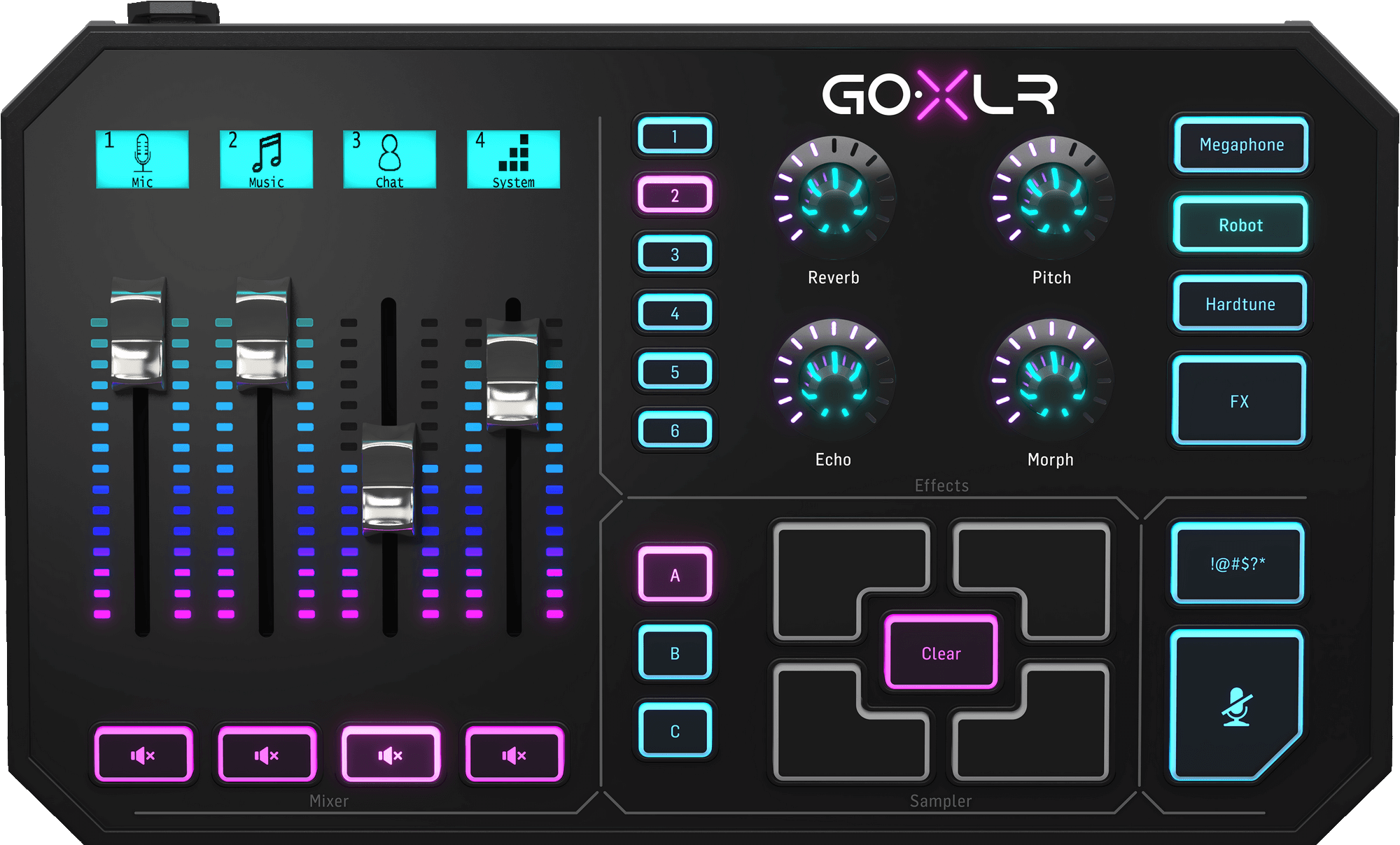
Setup Guide
Get started with GoXLR Utility in minutes.
Download & Install
Download the appropriate version for your operating system from the downloads section above.
Set Up Audio
Choose your mic and speakers in Windows. No GoXLR hardware? Skip USB device setup — the virtual mixer uses your PC audio. Optional: connect GoXLR or GoXLR Mini via USB if you have one.
Launch the Utility
Open GoXLR Utility. The virtual mixer loads immediately; hardware is detected automatically when plugged in.
Configure Your Mic
Go to the Mic tab and select your microphone type. Adjust gain, gate, EQ, and compression to taste.
GoXLR Hardware
Optional physical mixers — not required to use GoXLR Utility as a virtual mixer on your PC.
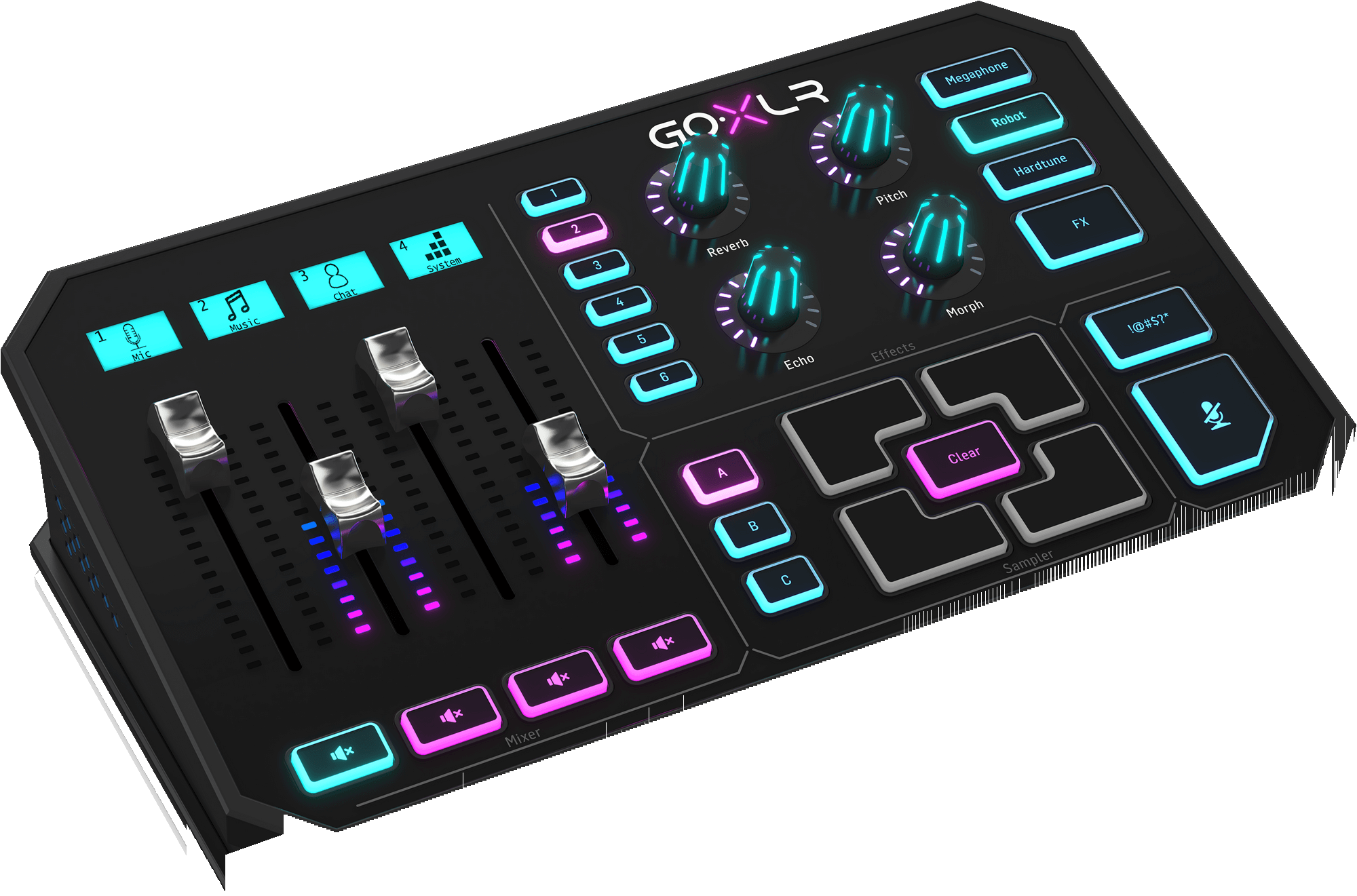
GoXLR
4-channel mixer with motorized faders, full button matrix, and premium Midas preamp. The complete streaming solution.
- 4 Motorized Faders
- 12 Programmable Buttons
- 4 Voice FX Knobs
- Midas Mic Preamp
- RGB Lighting
- Sampler & Effects
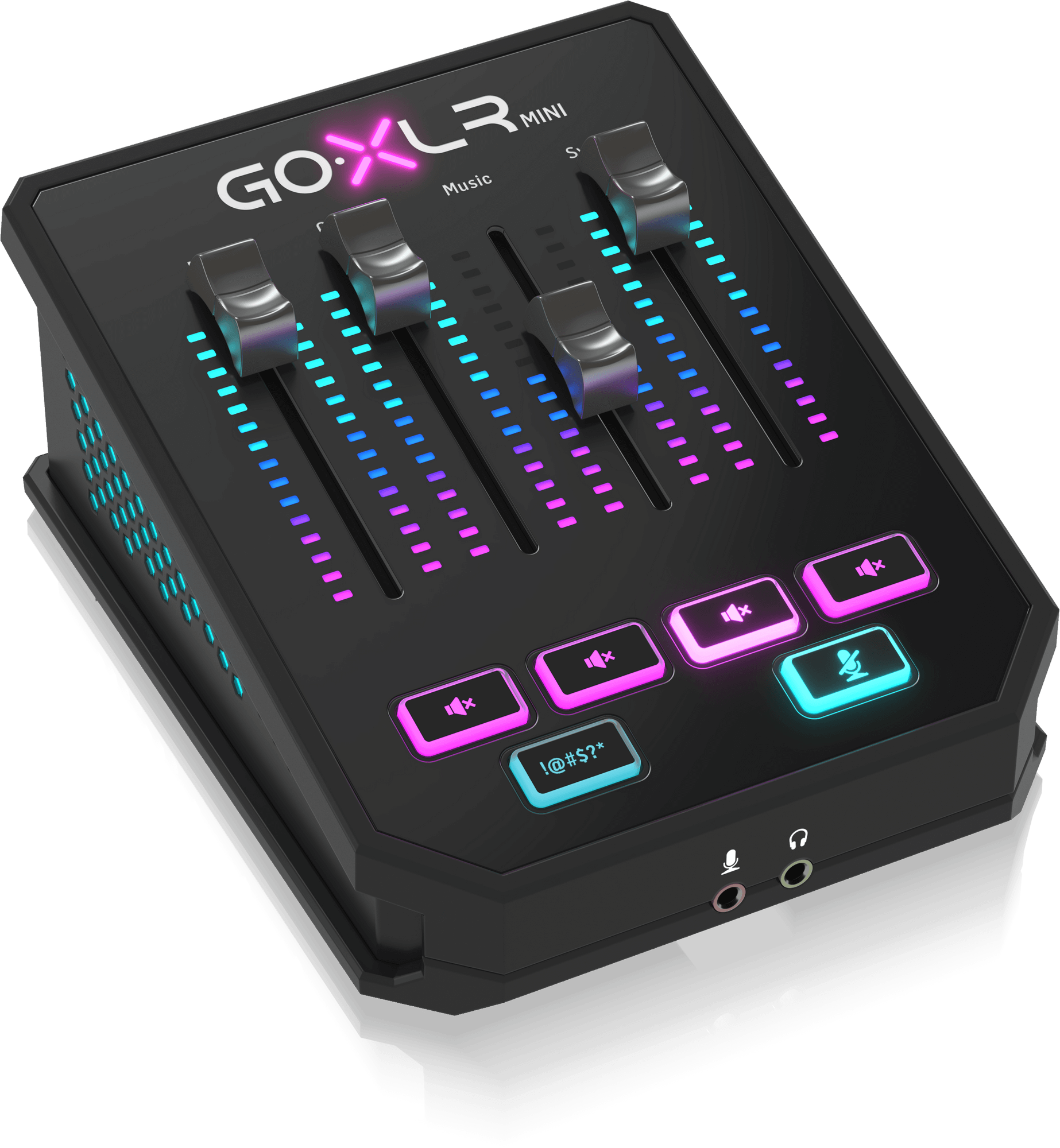
GoXLR Mini
Compact version with all essential features. Perfect for streamers who want professional audio in a smaller footprint.
- 4 Volume Faders
- 6 Programmable Buttons
- 4 Voice FX Controls
- Midas Mic Preamp
- RGB Lighting
- Sampler & Effects
Support & Resources
Everything you need to get started and troubleshoot issues.
Documentation
Comprehensive guides and tutorials for setting up and using your GoXLR.
Driver Installation
Download and install the latest GoXLR Utility for Windows 10 & 11.
Community
Join our Discord and Reddit communities for tips, tricks, and support.
Contact Support
Need help? Reach out to our support team at support@goxlr.studio
Get GoXLR Utility
Free virtual mixer download for Windows — no GoXLR device required.
The GoXLR Utility is free GoXLR software for the TC-Helicon GoXLR and GoXLR MINI audio interfaces. It provides audio routing, a four-channel mixer, microphone processing with gate, equalizer, compressor and de-esser, an effects engine with reverb, echo, pitch and gender, a hardware sampler, device profiles and RGB lighting control on Windows 10 and Windows 11 (64-bit). Not affiliated with TC-Helicon — buy GoXLR hardware here.